
XrmToolBox导出实体数据字典
531 字
3 分钟
XrmToolBox导出实体数据字典
- 1XrmToolBox导出实体数据字典本文
- 2XrmToolBox设置用户默认时区
- 3解决XrmToolBox启动时报NuGet程序集加载失败

在使用 Microsoft Dynamics 365 或 Power Apps 时,业务用户常常会需要查看实体中选项集(选择字段)的详细信息。 若实体仅包含少量选项集字段,用户可直接通过 Level up for Dynamics 365 / Power Apps 浏览器扩展,利用它显示选项集值功能,并将结果复制粘贴至 Excel 中就能搞定
但当实体包含大量选项集字段时,这种手动操作方式效率较低,更实用的解决方案是借助 XrmToolBox 工具,将实体元数据直接导出为如 Excel 这样的结构化格式
本文件将推荐两款适用于此场景的工具:
- Metadata Document Generator
- Attributes Factory
工具一:Metadata Document Generator
在 XrmToolBox 上安装 Metadata Document Generator 并打开它
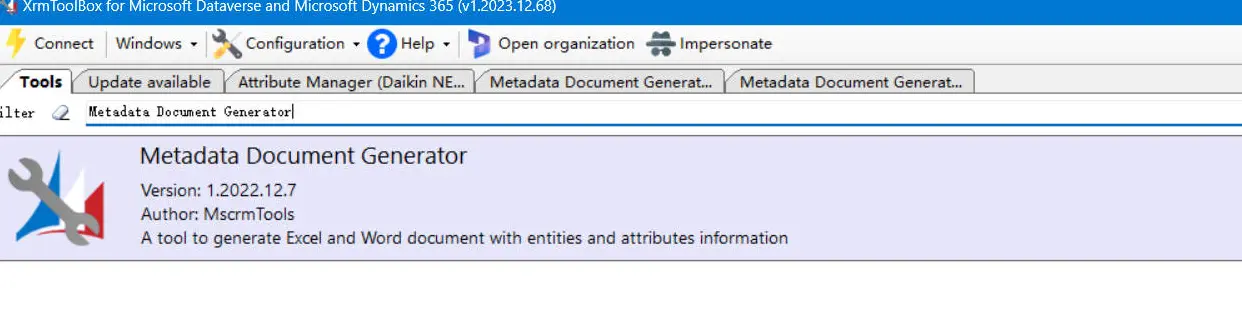
操作步骤如下:
- 点击 Load Entity
- 选择导出文件的保存位置
- 选择需要导出的实体
- 根据需求配置导出选项(详见下方表格)
- 点击 Generate Document
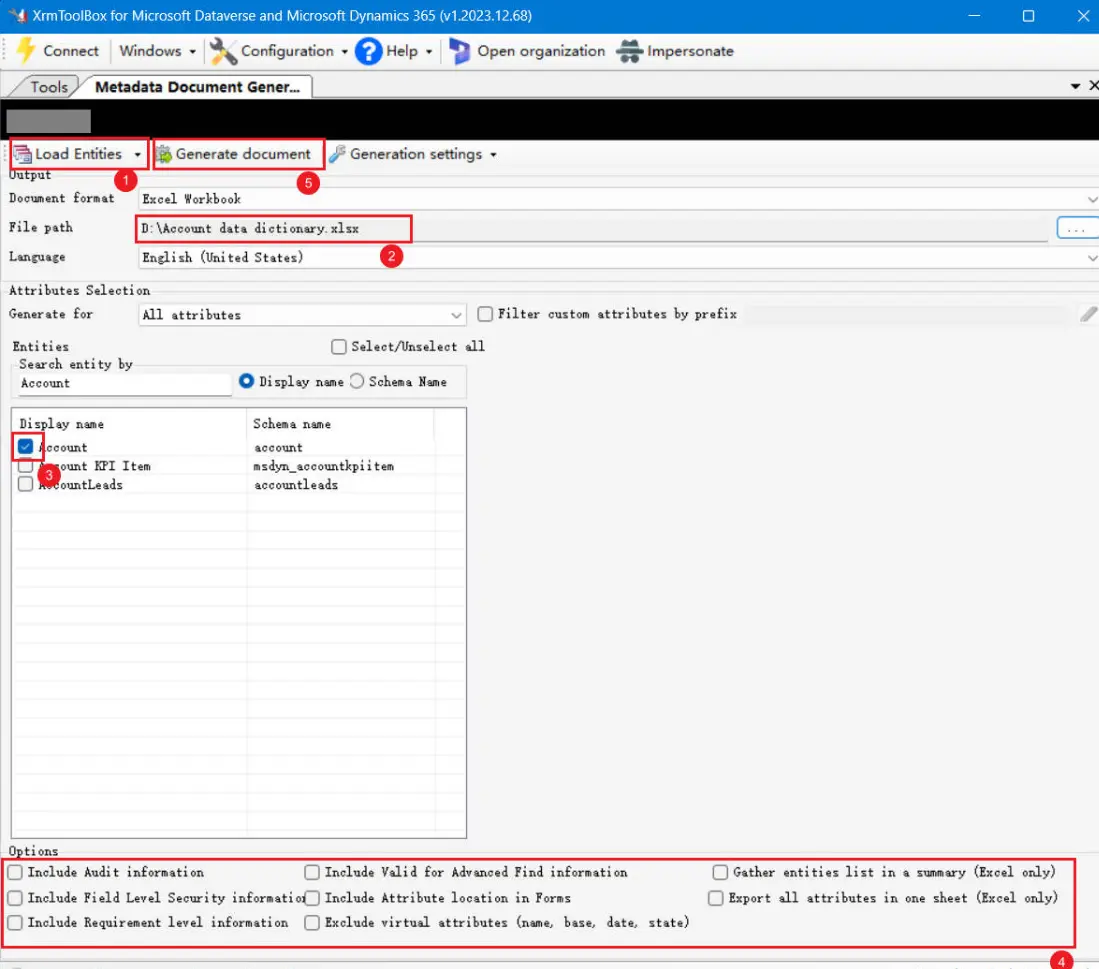
Available Options
| 选项 | 选择(中文) |
|---|---|
| Include Audit information | 包括审计信息 |
| Include Field Level Security information | 包括字段级安全信息 |
| Include Requirement leve information | 包括要求级别信息 |
| Include Valid for Advanced Find information | 包括高级查找有效信息 |
| Include Attribute location in Forms | 包括表单中的属性位置 |
| Exclude Virtual attributes(name,base,date,state) | 排除虚拟属性(名称、基础、日期、状态) |
| Export all attributes in one sheet(Excel only) | 在一张表中导出所有属性(仅限 Excel) |
| Gather entitys list in a summary(Excel only) | 在摘要中收集实体列表(仅限 Excel) |
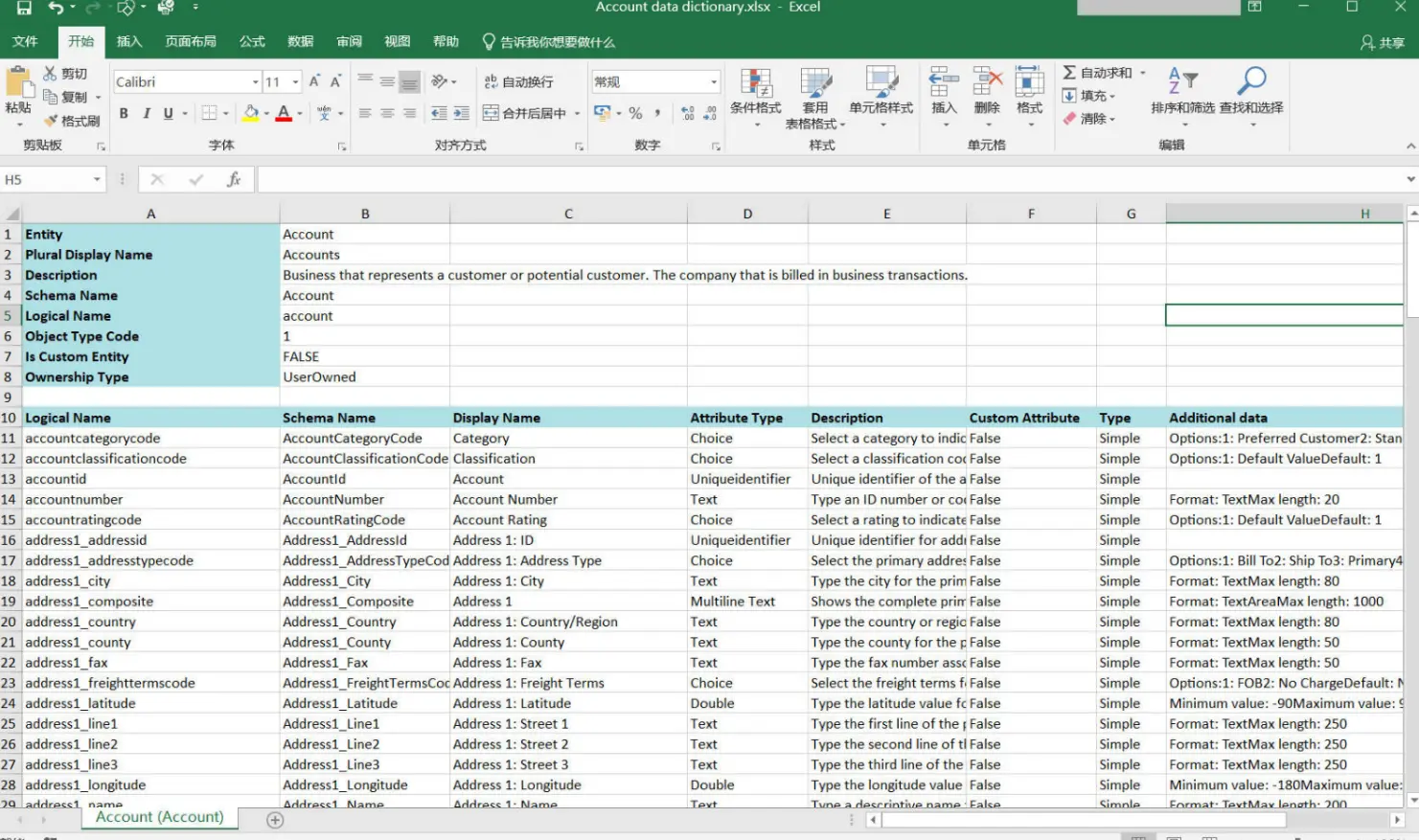
生成的 Excel 数据字典将呈现如下格式:
工具二:Attributes Factory
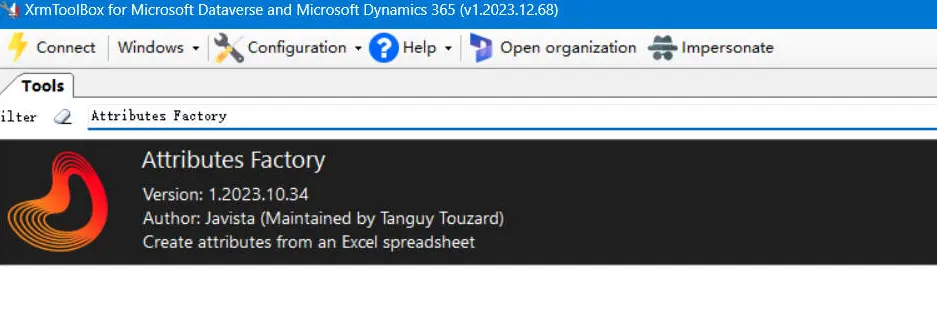
另一个可选方案是 Attributes Factory 插件。在 XrmToolBox 中安装并打开 Attributes Factory:
导出步骤:
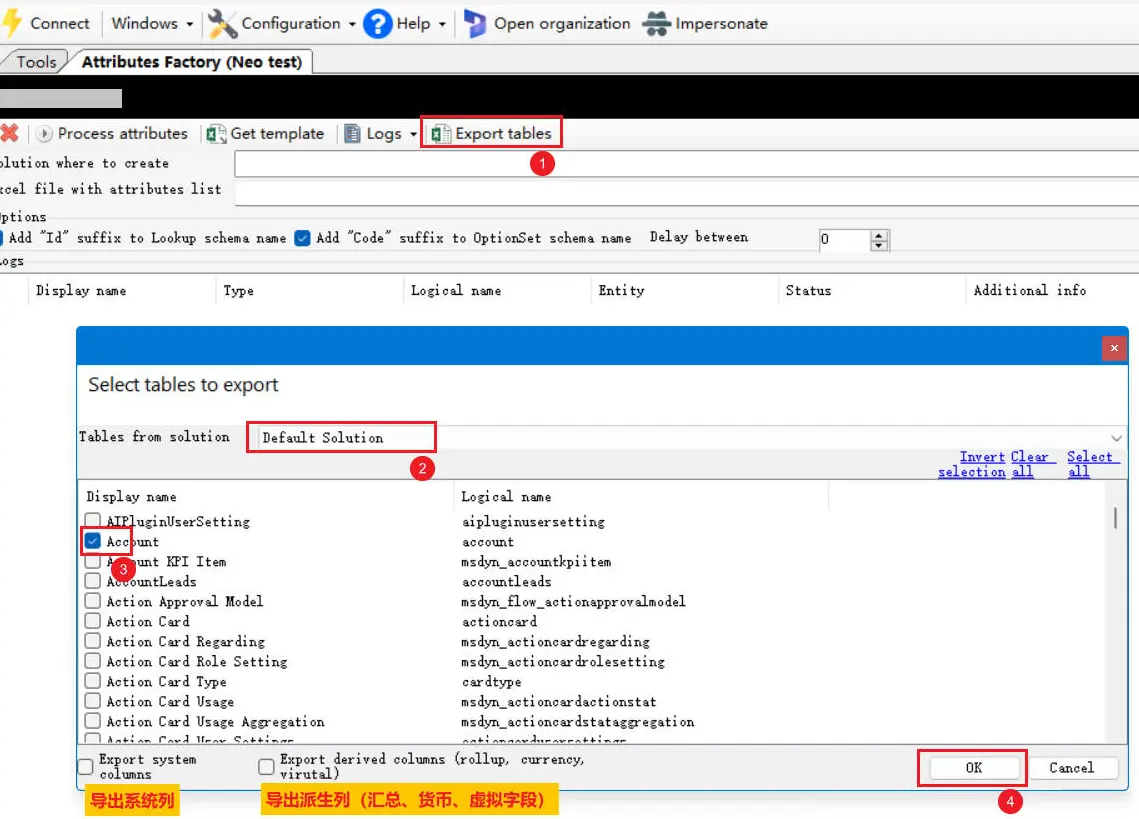
- 选择 导出表
- 选择目标解决方案
- 勾选要导出的实体
- 根据需要选择导出选项
- 点击 确定
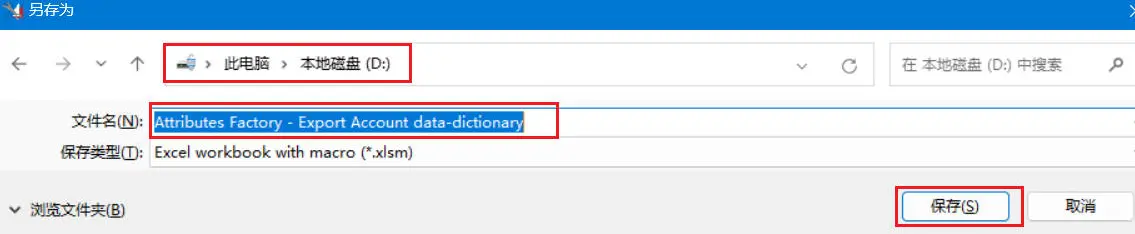
指定文件保存路径与文件名,然后点击 保存
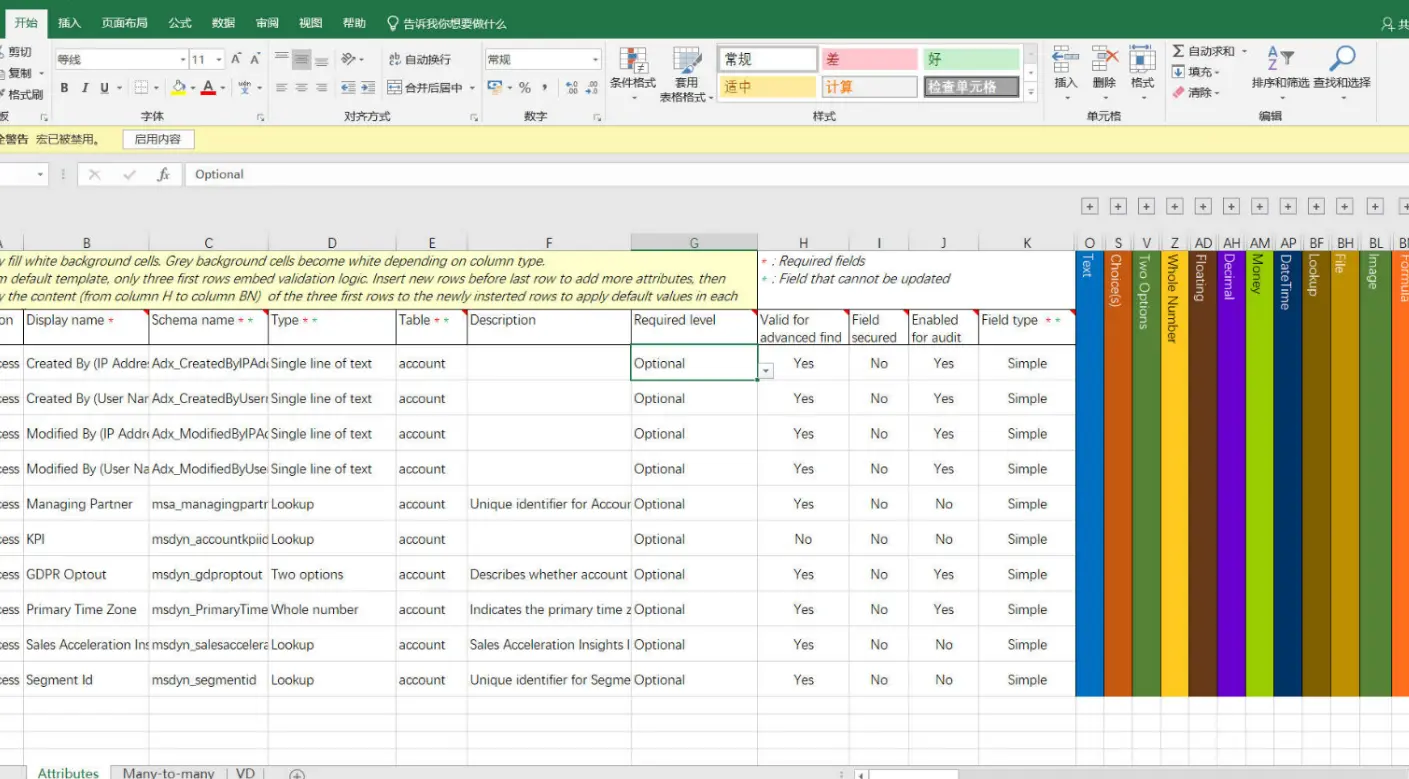
生成的 Excel 文件将以如下格式包含实体数据字典:
(完)
支持与分享
如果这篇文章对你有帮助,欢迎分享给更多人或打赏支持!
相关文章智能推荐
1
使用 Dynamics 365 Workflow Tools
Dynamics 365使用 Dynamics 365 Workflow Tools
2
Dynamics 365 禁用选项的两种方式
Dynamics 365介绍在 Dynamics 365 中禁用选项字段的两种方式
3
使用DBeaver连接Dynamics 365 Dataverse
Dynamics 365在数据分析或开发工作中,有时我们希望能用熟悉的SQL工具直接查询Dataverse中的数据,除了使用SSMS、SQL 4 CDS外,还可以使用DBeaver,下文详细记录了配置过程。
4
Dynamics 365 事件框架、事件执行管道
Dynamics 365Dynamics 365 插件运行的“流水线”到底长什么样?
5
系统集成笔记18:背诵卡片
软考系统集成软考笔记
随机文章随机推荐
评论区
欢迎来到我的博客!这是一则示例公告。
文章
85
分类
12
标签
43
总字数
121,905
运行时长
0 天
最后活动
0 天前
站点域名mgrowup.com
Fireflyv6.16.5
Astrov7.2.4
Nodev24.21.0
pnpmv11.22.0
构建时间2026年10月14日 17:47:13
系统信息Linux / x86_64