Astro 2.0 已正式发布,带来了许多酷炫的新特性、破坏性变更、开发体验(DX)改进、更好的错误提示覆盖层等。AstroPaper 也充分利用了这些新特性,尤其是 Content Collections API。
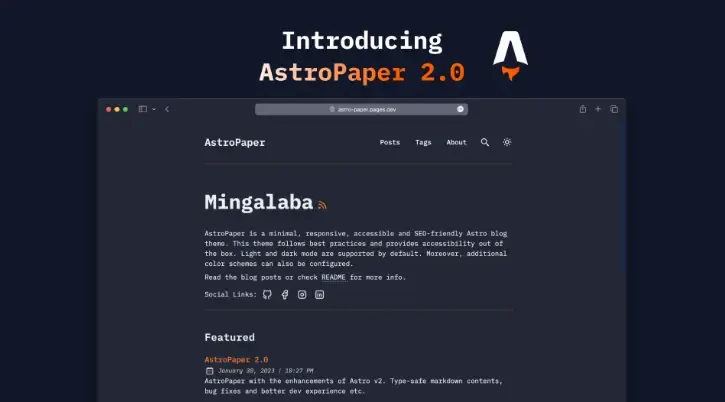
Table of contents
Open Table of contents
功能与变更
类型安全的 Frontmatter 与重新定义的博客 Schema
得益于 Astro 的 Content Collections,AstroPaper 2.0 的 Markdown Frontmatter 现在支持类型安全。博客的 Schema 定义在 src/content/_schemas.ts 文件中。
博客内容的新存放位置
所有博客文章已从 src/contents 迁移到 src/content/blog 目录。
全新的内容获取 API
现在通过 getCollection 函数来获取内容,不再需要指定内容的相对路径。
// 旧的内容获取方式
- const postImportResult = import.meta.glob<MarkdownInstance<Frontmatter>>(
  "../contents/**/**/*.md",);

// 新的内容获取方式
+ const postImportResult = await getCollection("blog");
改进的搜索逻辑,带来更好的搜索结果
在旧版本的 AstroPaper 中,当用户搜索文章时,会检索 title、description 和 headings(即文章中所有 h1 ~ h6 标题)。
在 AstroPaper v2 中,用户输入时仅会搜索 title 和 description,从而带来更精准的搜索体验。
重命名 Frontmatter 属性
以下 Frontmatter 属性已被重命名:
| 旧名称 | 新名称 |
|---|---|
| datetime | pubDatetime |
| slug | postSlug |
博客文章的默认标签
If a blog post doesn’t have any tag (in other words, frontmatter property tags is not specified), the default tag others will be used for that blog post. But you can set the default tag in the /src/content/_schemas.ts file.
如果某篇博客文章没有设置标签(即未指定 tags 属性),将默认使用 others 作为该文章的标签。你也可以在 /src/content/_schemas.ts 文件中自定义默认标签。
// src/contents/_schemas.ts
export const blogSchema = z.object({
  // ---
  // 将 "others" 替换为你想要的默认标签
  tags: z.array(z.string()).default(["others"]),
  ogImage: z.string().optional(),
  description: z.string(),
});
全新的预设深色主题配色
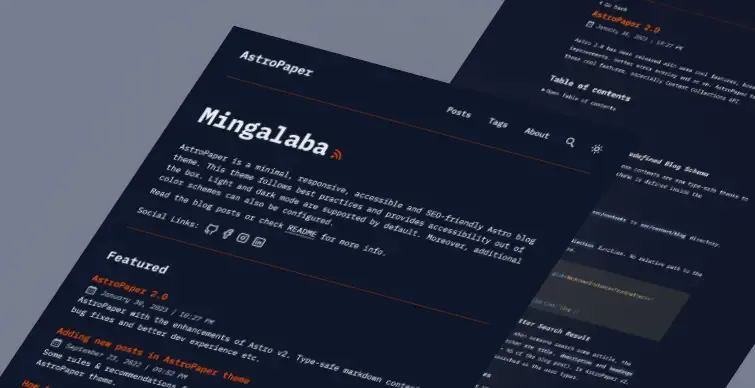
AstroPaper v2 新增了基于 Astro 深色 Logo 设计的深色配色方案(高对比与低对比版本)。更多信息请查看此链接:https://astro-paper.pages.dev/posts/predefined-color-schemes#astro-dark
自动类名排序
AstroPaper 2.0 集成了 TailwindCSS 的 Prettier 插件,实现自动类名排序功能:
https://tailwindcss.com/blog/automatic-class-sorting-with-prettier
更新的文档与 README
所有带有 #docs 标签的博客文章以及 README 文档都已更新,以适配 AstroPaper v2。
问题修复
- 修复博客文章页面中标签显示异常的问题
- 在标签页面中,将面包屑导航的最后一部分统一为小写,以保持一致性
- 在标签页面中排除草稿文章
- 修复页面刷新后 onChange 值未更新的问题
(完)
如果这篇文章刚好帮到了你,欢迎请我喝杯咖啡!